
Restoring a Speedify Purchase on Android
This article explains how to restore a Speedify subscription you've already purchased on your Android phone. If you reinstalled Speedify or switched devices and your subscription isn't showing up, the steps below will help you get it back.
Let's Get Started
Step 1
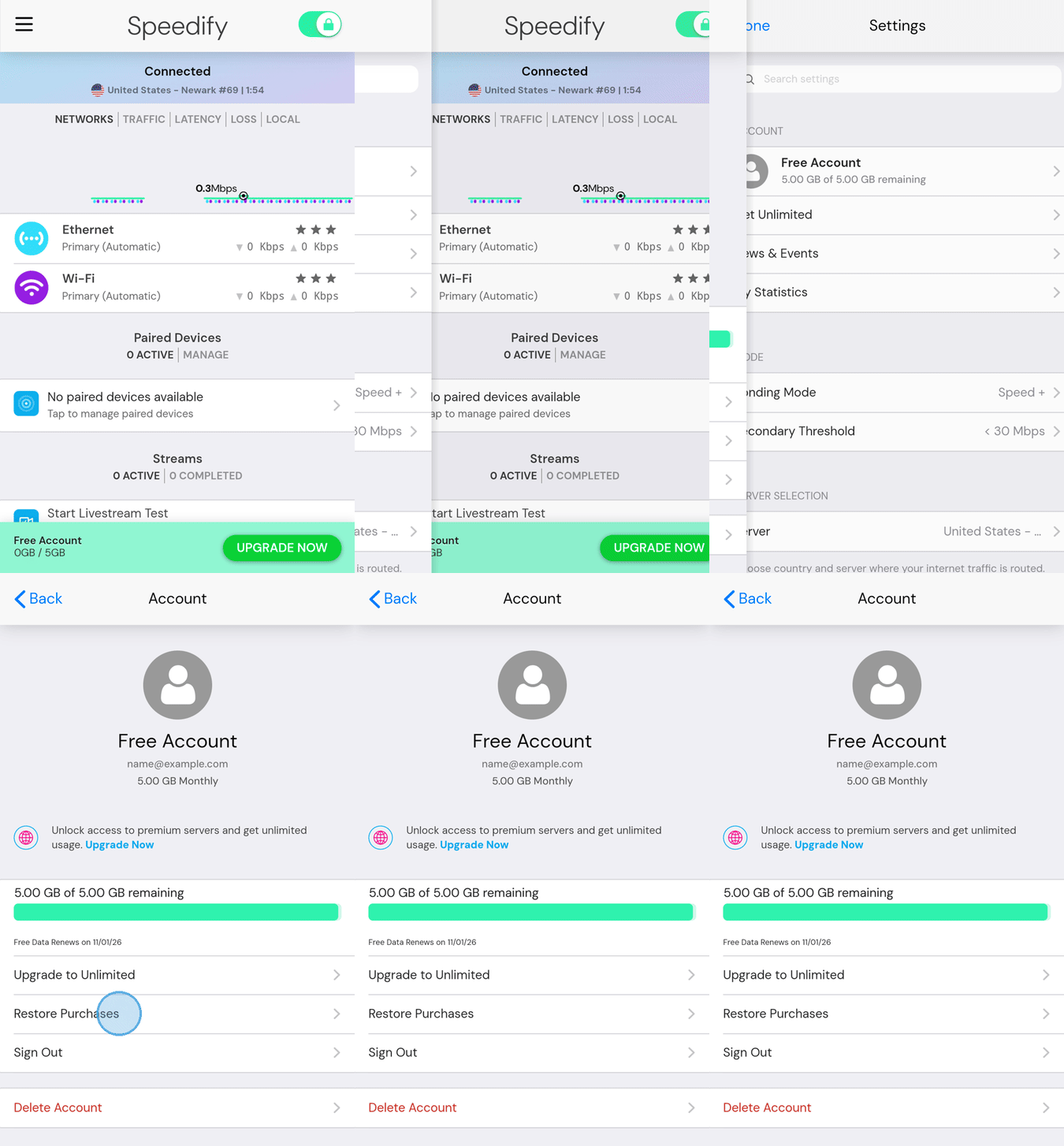
Open Speedify on your Android phone. Tap the hamburger menu (the three horizontal lines) in the top-left corner of the screen.
Step 2
Under Account, tap Free Account. This opens the Account screen.
Step 3
On the Account screen, tap Restore Purchases. Speedify will check your Google Play account for an existing subscription and restore it automatically.
Still Having Trouble?
If you run into any errors during the restore process, take a screenshot of the error message and send it to support@speedify.com. The Speedify support team will help you get sorted out.