
Restoring a Speedify Purchase on iOS
This article explains how to restore a Speedify subscription you've already purchased on your iOS device, in case it isn't showing up correctly in the app.
Let's Get Started
Step 1
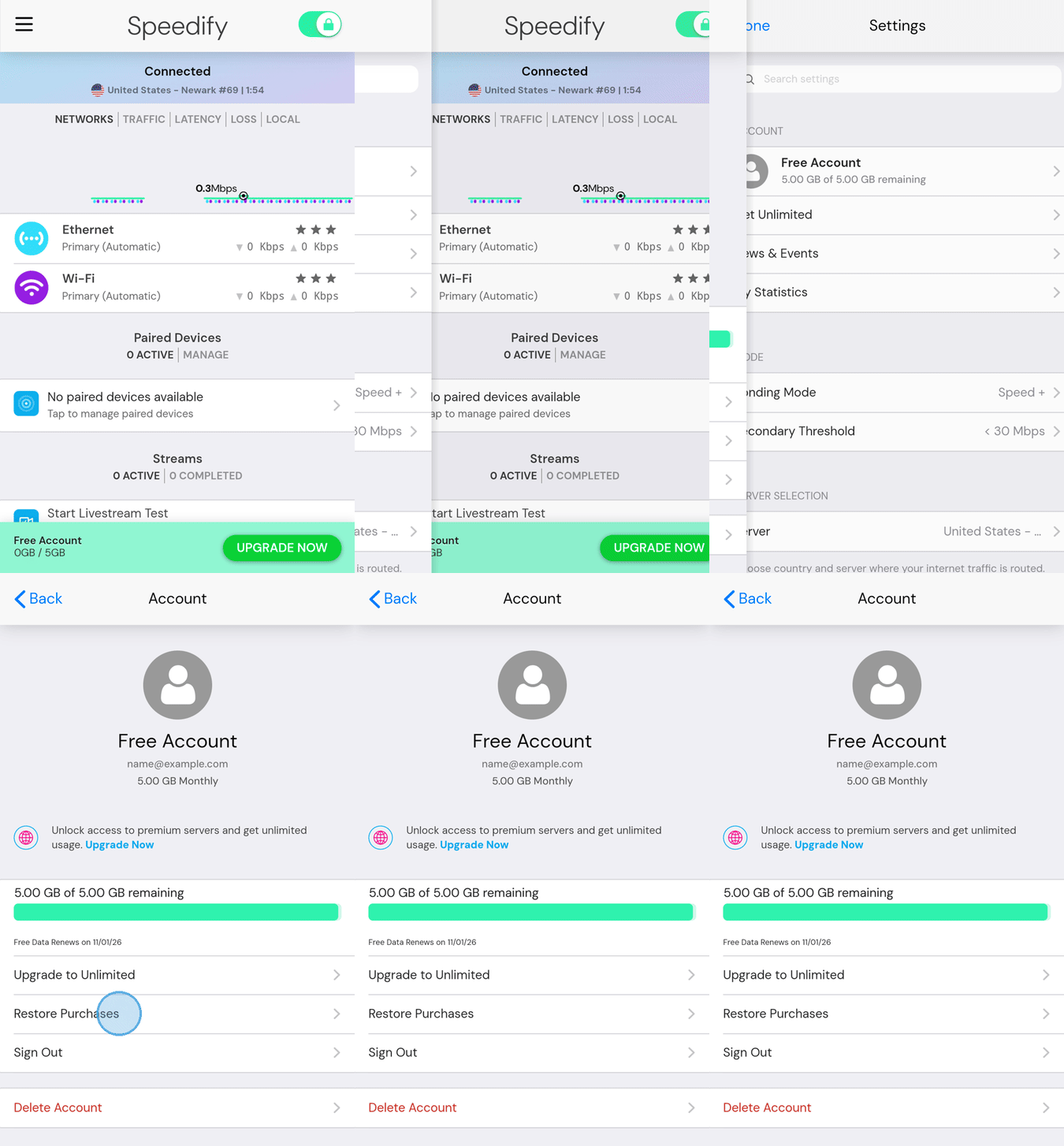
Open Speedify on your iOS device. Tap the hamburger menu (the three-line icon) in the top left corner of the screen.
Step 2
Under Account, tap your account. It shows Free Account until your purchase is restored. This opens the Account screen.
Step 3
On the Account screen, tap Restore Purchases. Speedify will check your Apple ID for any previous purchases and restore your subscription automatically.
Still Having Trouble?
If you see any errors during the restore process, take a screenshot of the error message and send it to support@speedify.com. The Speedify support team will help you get sorted out.
Did you know - Speedify can combine your Wi-Fi connection and 4G/5G cellular connection at the same time for faster upload and download speeds, not just switch between them. Learn how Speedify combines multiple internet connections.