
Registering an App Store / Play Store Purchase in Speedify
This article explains how to register your Speedify account after purchasing a subscription through the Apple App Store or Google Play Store. Completing registration lets you use Speedify on other devices and platforms.
What You'll Need
- A Speedify subscription purchased through the Apple App Store or Google Play Store
- A Google account or Apple ID to complete registration
Let's Get Started
Step 1
After purchasing a Speedify subscription, you'll be prompted to register your account with your Google account or Apple ID. Completing this step links your purchase to a Speedify account, which allows you to sign in on up to 5 devices at the same time.
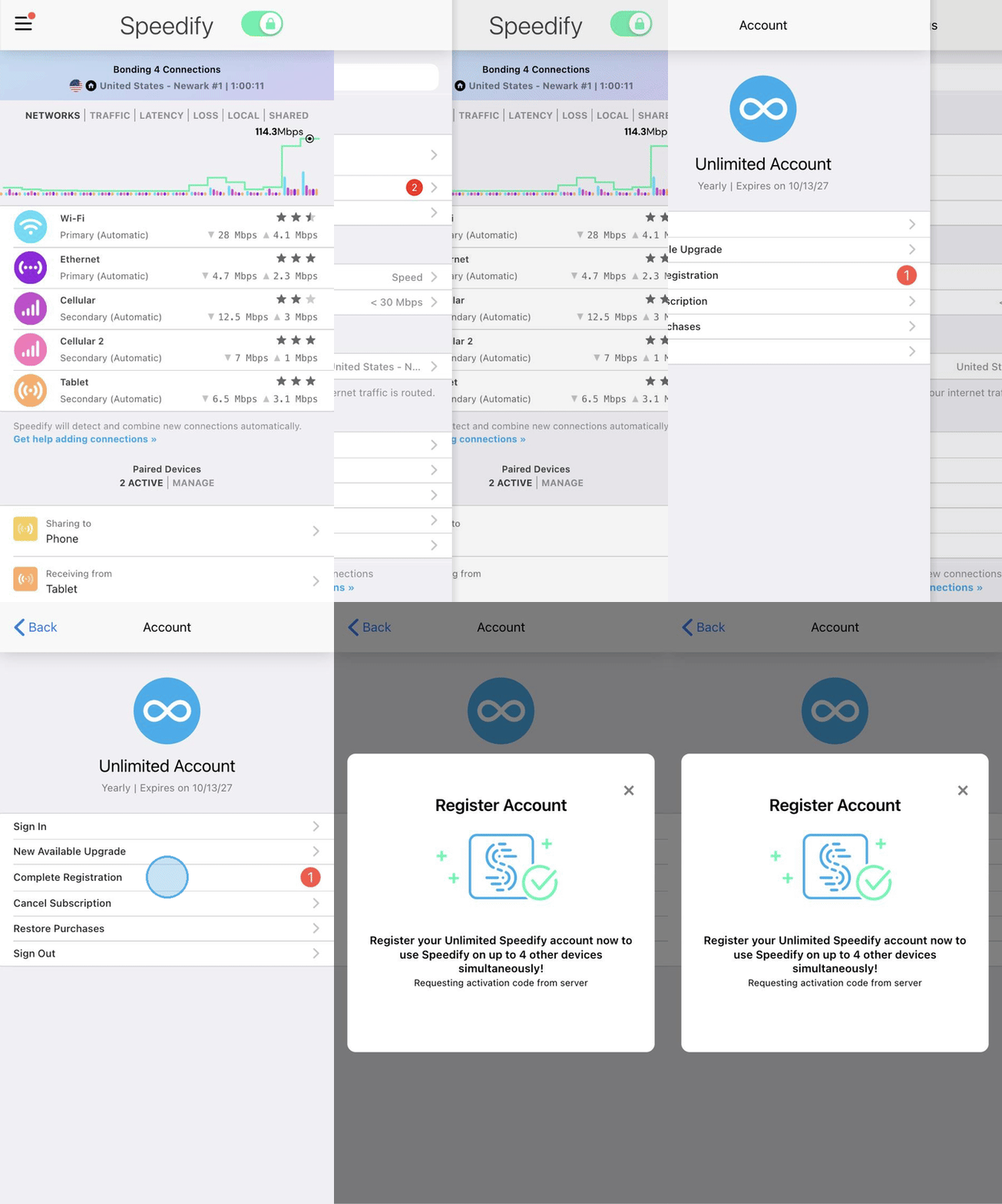
If you skipped or dismissed the initial registration prompt, you can complete it at any time. Open Speedify and tap the hamburger menu (the three-line icon) in the top left corner of the dashboard.
Step 2
Tap on your Account, then select Complete Registration.
Step 3
A browser window will open where you can register your account. Sign in using your Google account or Apple ID to complete the process.
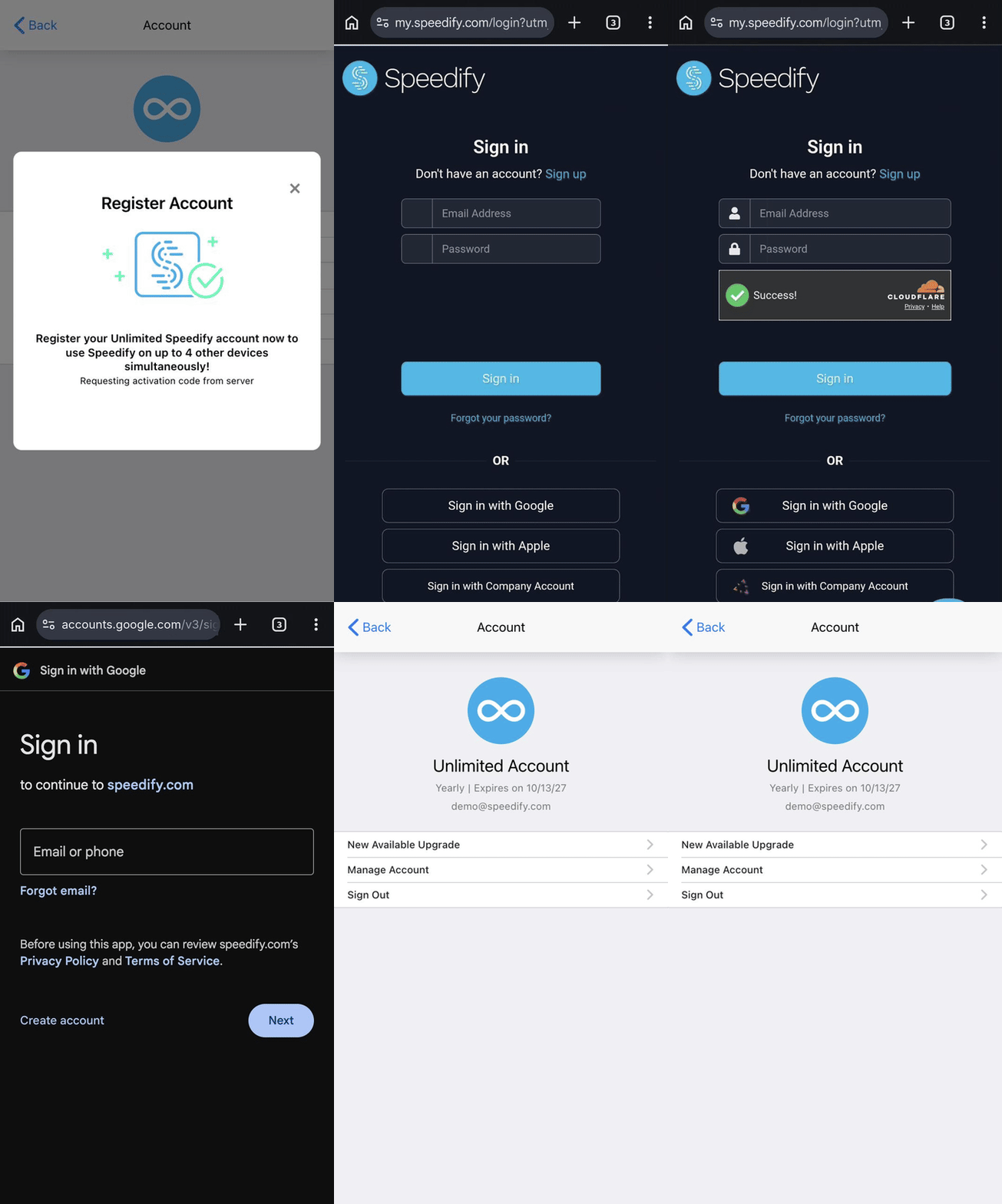
Once registration is complete, you'll have a Speedify account you can use to sign in on any supported device.