
Speedify Secondary Threshold Overview
This article explains what the Secondary Threshold setting does in Speedify and how it controls when your secondary internet connections are used alongside your primary ones.
What Is the Secondary Threshold?
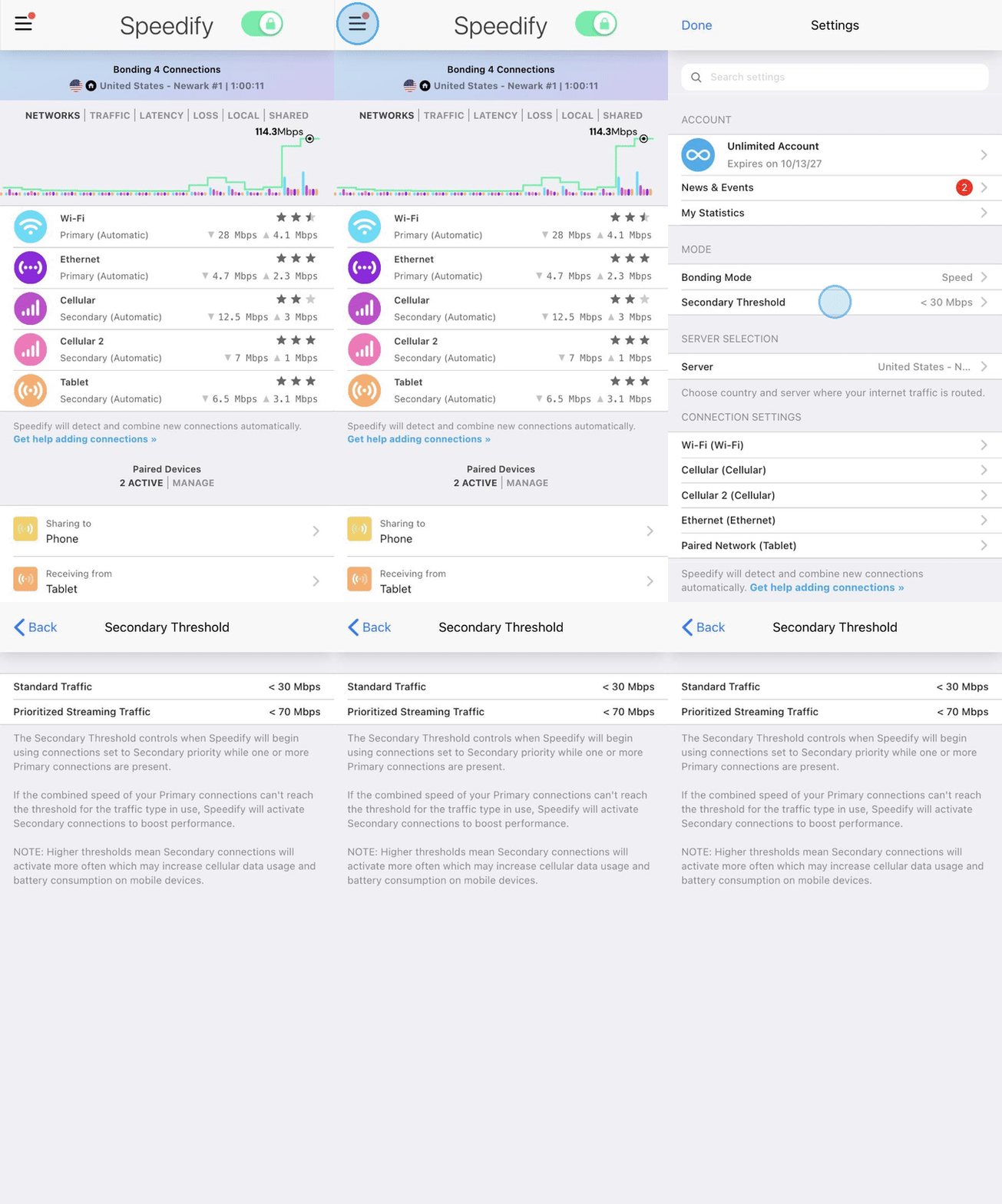
When you have multiple internet connections available, Speedify lets you assign each one a priority level, Primary or Secondary, through Connection Settings. The Secondary Threshold is the speed value (in Mbps) you set to control when Speedify starts using your Secondary connections. You can set one threshold for Standard Traffic and another for Prioritized Streaming Traffic.
Here's the basic logic:
- Speedify continuously monitors the combined speed of all your active Primary connections.
- If your Primary connections fall short of the configured threshold for your current internet traffic, Speedify activates your Secondary connections to fill the gap.
- If your Primary connections meet or exceed the threshold, your Secondary connections stay idle.
This lets you reserve Secondary connections, like a 4G/5G cellular connection, for when you actually need them, rather than using them all the time.
Example Scenarios
Scenario 1: Wi-Fi and Cellular
- Primary connection: Home Wi-Fi network
- Secondary connection: 4G/5G cellular connection
- Secondary Threshold: 20 Mbps
If your Wi-Fi network speed drops below 20 Mbps, Speedify activates the cellular connection to help. When your Wi-Fi network recovers and exceeds 20 Mbps, Speedify reduces or stops using cellular data.
Scenario 2: Ethernet and Mobile Hotspot
- Primary connection: Ethernet connection
- Secondary connection: Mobile hotspot
- Secondary Threshold: 50 Mbps
As long as your Ethernet connection consistently delivers above 50 Mbps, Speedify keeps the mobile hotspot inactive. If your Ethernet connection drops in performance, the hotspot activates to assist with your internet traffic.
Data Usage Considerations
Setting a higher Secondary Threshold means your Secondary connections will activate more often. Keep in mind that more frequent activation can lead to:
- Increased cellular data usage
- Increased battery consumption on mobile devices
- Greater total bandwidth available to Speedify
If you're on a metered connection, Speedify's Data Limits feature can help you keep cellular data usage in check.
Did you know - Speedify works on routers too, so every device on your network can benefit from faster upload and download speeds without needing to install anything on each device individually. Learn more about Speedify for Routers.