
Speedify Bonding Mode Overview
This article explains the Bonding Mode setting in Speedify and what each option does. Bonding Mode controls how Speedify uses your available internet connections, so you can choose the right mode depending on what you're doing.
Bonding Modes in Speedify
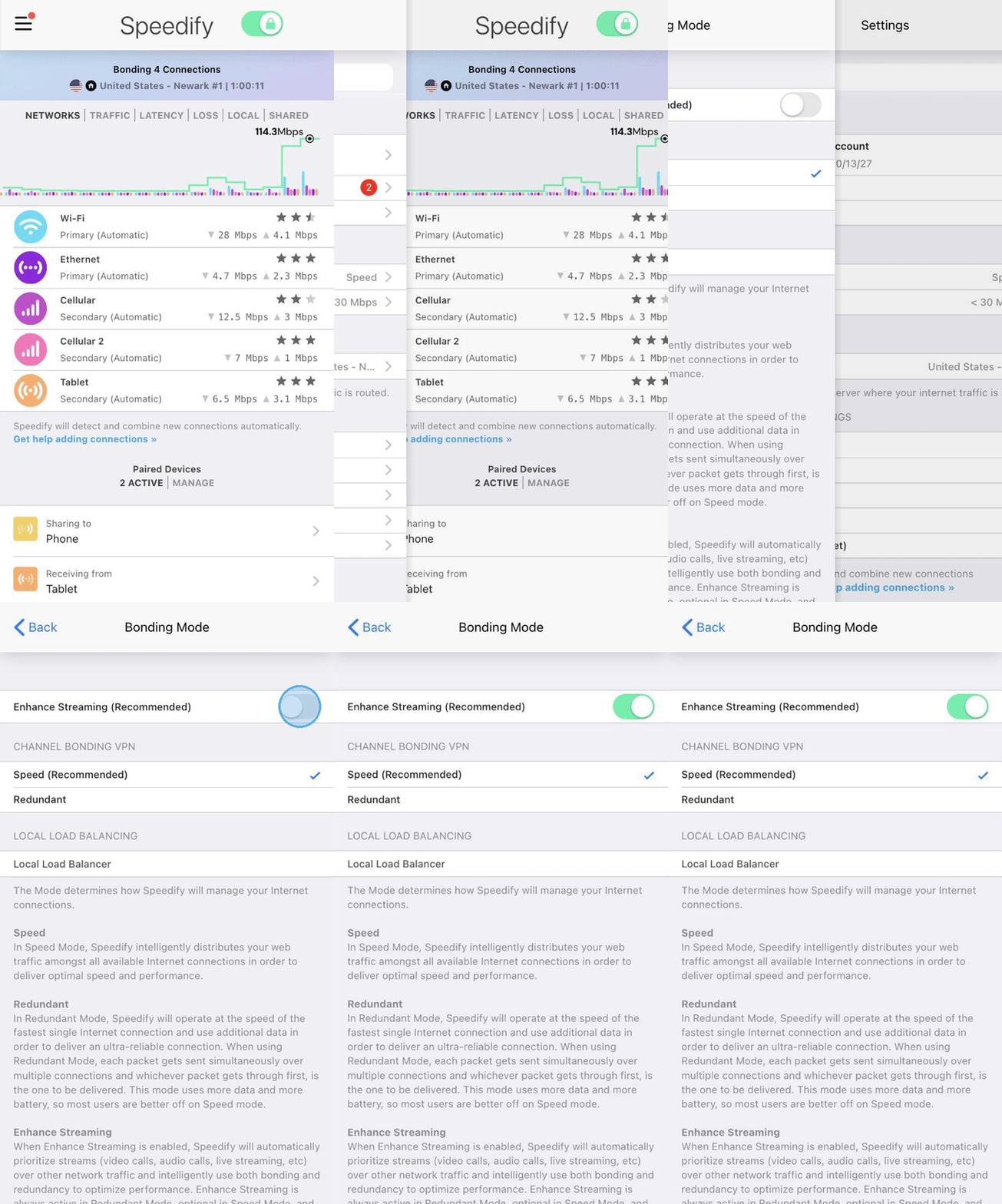
Speedify offers two core Bonding Modes: Speed and Redundant. Enhance Streaming is a layer on top of Speed Mode and is enabled by default. In Redundant Mode, Enhance Streaming is always on. If you add the Bonding Mode card to your dashboard, Speedify shows Speed Mode with Enhance Streaming as Speed +. And there's Local Load Balancer mode. You can switch between these modes at any time depending on your needs.
Speed Mode + Enhance Streaming
Speed Mode + Enhance Streaming is the default setting in Speedify. It's designed to maximize both the speed and reliability of streaming internet traffic, such as video calls, audio calls, and live streams. Speedify intelligently switches between active bonding and redundancy for your streaming internet traffic, prioritizing it over all other internet traffic to keep your streams stable.
For a deeper look at how this works, see the Enhance Streaming article.
Speed Mode
In Speed Mode, Speedify distributes your internet traffic across all of your available internet connections at once to give you the fastest possible speeds. This is the best mode if your main goal is maximizing upload and download speeds, for example when downloading large files or browsing without any streaming needs.
Redundant Mode
In Redundant Mode, Speedify sends each packet of internet traffic over multiple connections simultaneously (up to 3 by default), and whichever copy arrives first gets delivered. This gives you an extremely reliable connection, but your overall speed will be limited to the speed of your fastest single internet connection rather than the combined total.
Because Redundant Mode duplicates internet traffic across connections, it uses more data and battery than Speed Mode. To learn more, see the Redundant Mode article.
Local Load Balancer
When Local Load Balancer is selected, Speedify does not connect to remote servers and does not route your internet traffic through its VPN (Virtual Private Network). Instead, Speedify balances your internet traffic between your available connections locally on your device. On Windows, starting with Speedify 17.2, Local Load Balancer uses round robin distribution by default, assigning new connections to each internet connection in turn. This mode is useful in specific network setups where VPN tunneling is not desired. You can learn more here.
Did you know - Speedify's Pair & Share feature lets you share your cellular connections with other Speedify users on the same local network. Learn more about Pair & Share.