
Getting Support for Speedify
This article explains how to find help with Speedify, whether you want to search the Knowledge Base on your own or reach out to the support team directly.
Searching the Knowledge Base
The Speedify Knowledge Base is the best first place to look when you run into an issue. You can access it in two ways:
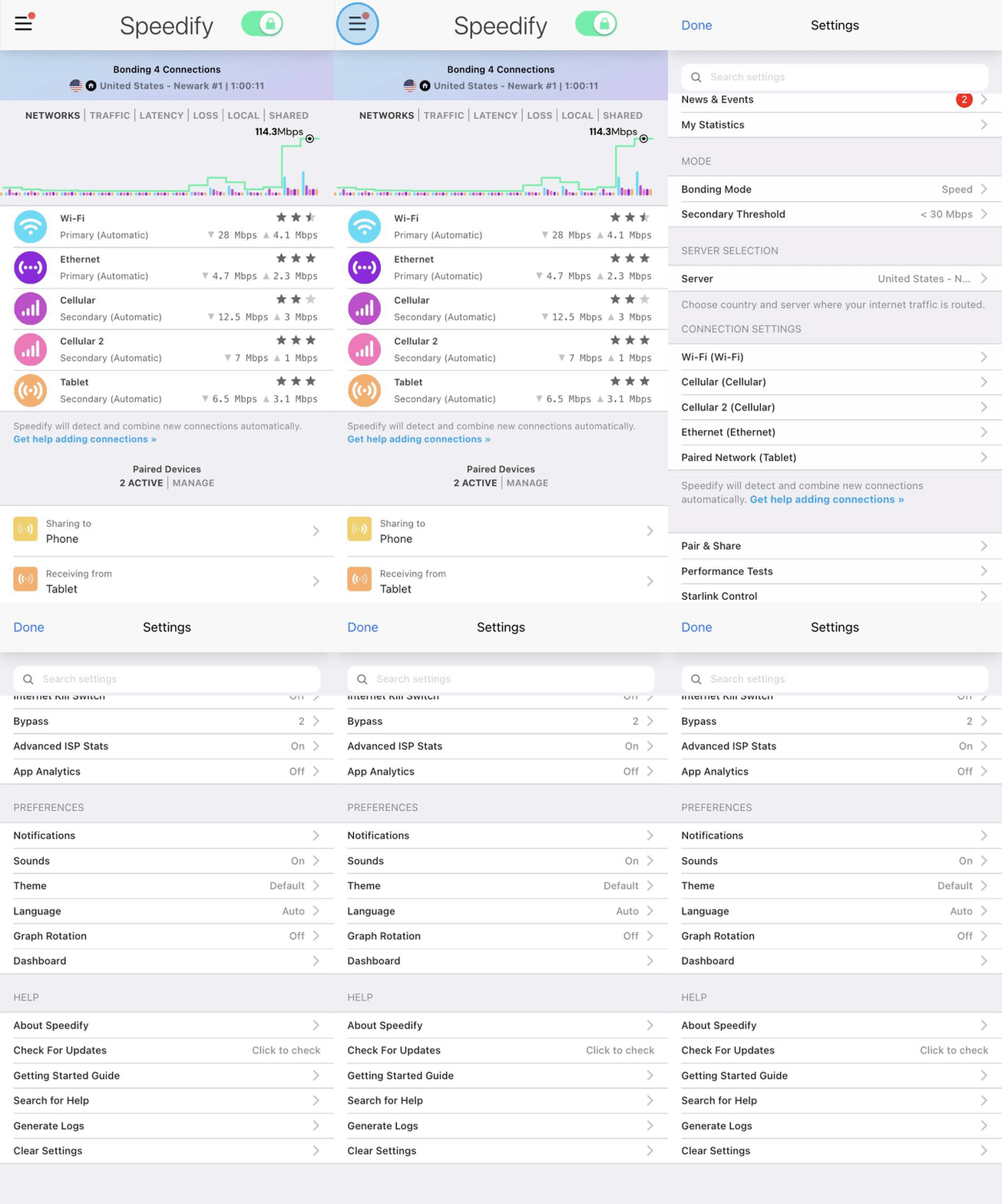
- From inside the Speedify app: tap the Settings menu in the upper left-hand corner, scroll down to the Help section, and tap Search for Help.
- From any browser: visit speedify.com/support.
Sending Logs to the Speedify Support Team
If you're experiencing an issue with Speedify that you can't find a solution for in the Knowledge Base, sending your logs to the Speedify support team is the most effective next step. The logs include debugging information that helps the team understand exactly what's happening on your device.
Step 1
In the Speedify app, tap the Settings menu in the upper left-hand corner and scroll down to the Help section.
Step 2
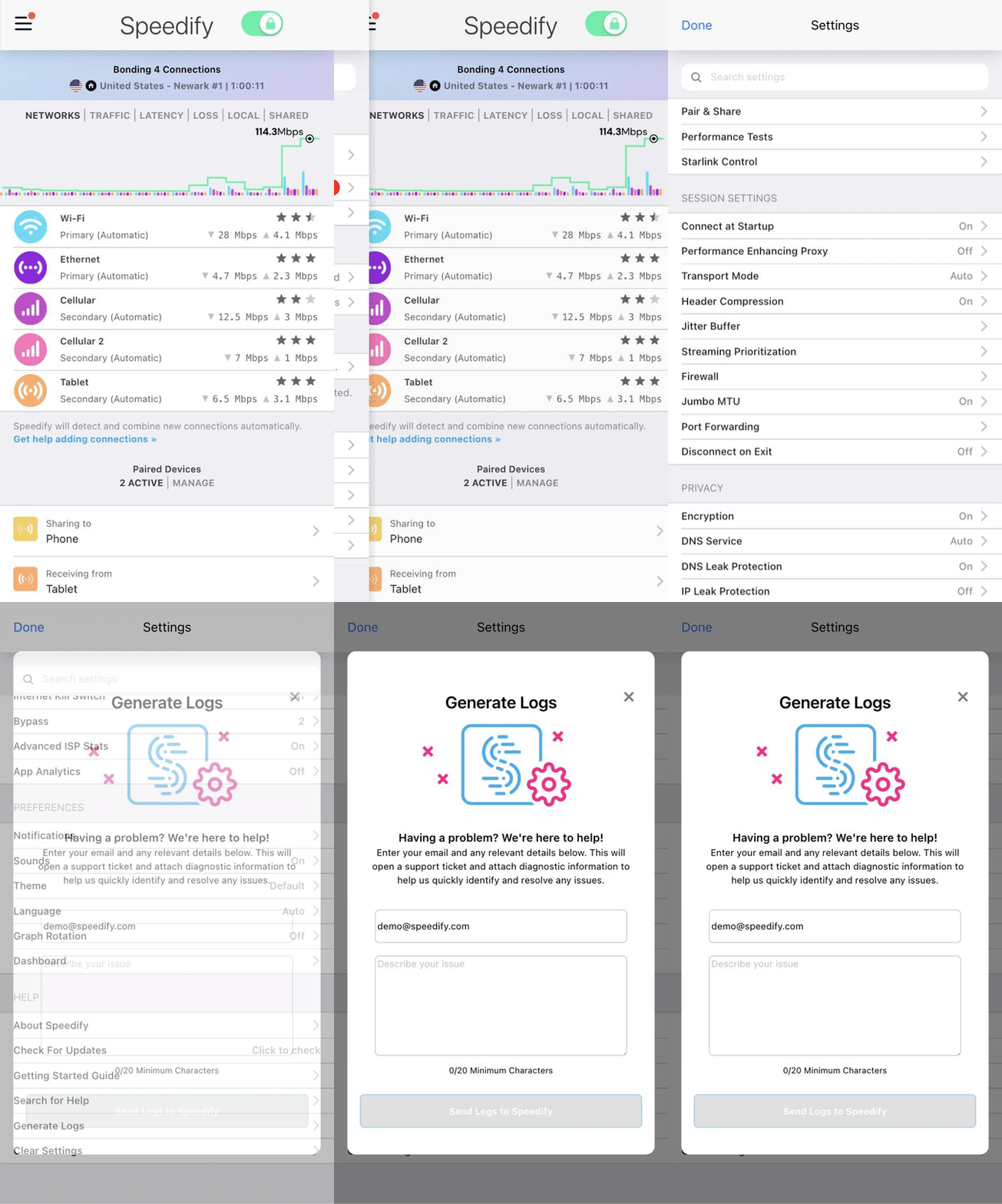
Tap Generate Logs. Speedify will open a dialog box that you can fill in and explain the problem you are seeing.
Contacting Support Directly
You can also reach the Speedify support team at any time by emailing support@speedify.com.
Did you know - Speedify works on routers too, so every device on your network can benefit from faster upload and download speeds without needing to install anything on each device individually. Learn more about Speedify for Routers.