
Upgrade from Speedify for Individuals Yearly to Speedify for Families
This article explains how to upgrade your Speedify for Individuals Yearly subscription to a Speedify for Families plan, what to expect for billing, and what changes on your account after the upgrade.
Before You Start
This article is for customers who purchased their Speedify subscription directly through the Speedify website. If you subscribed through a mobile app store, use the links below to manage your upgrade there instead:
Let's Get Started
Step 1
Go to the Speedify Account Management page and sign in with your Speedify account.
Step 2
Click the Upgrade button on your account dashboard.
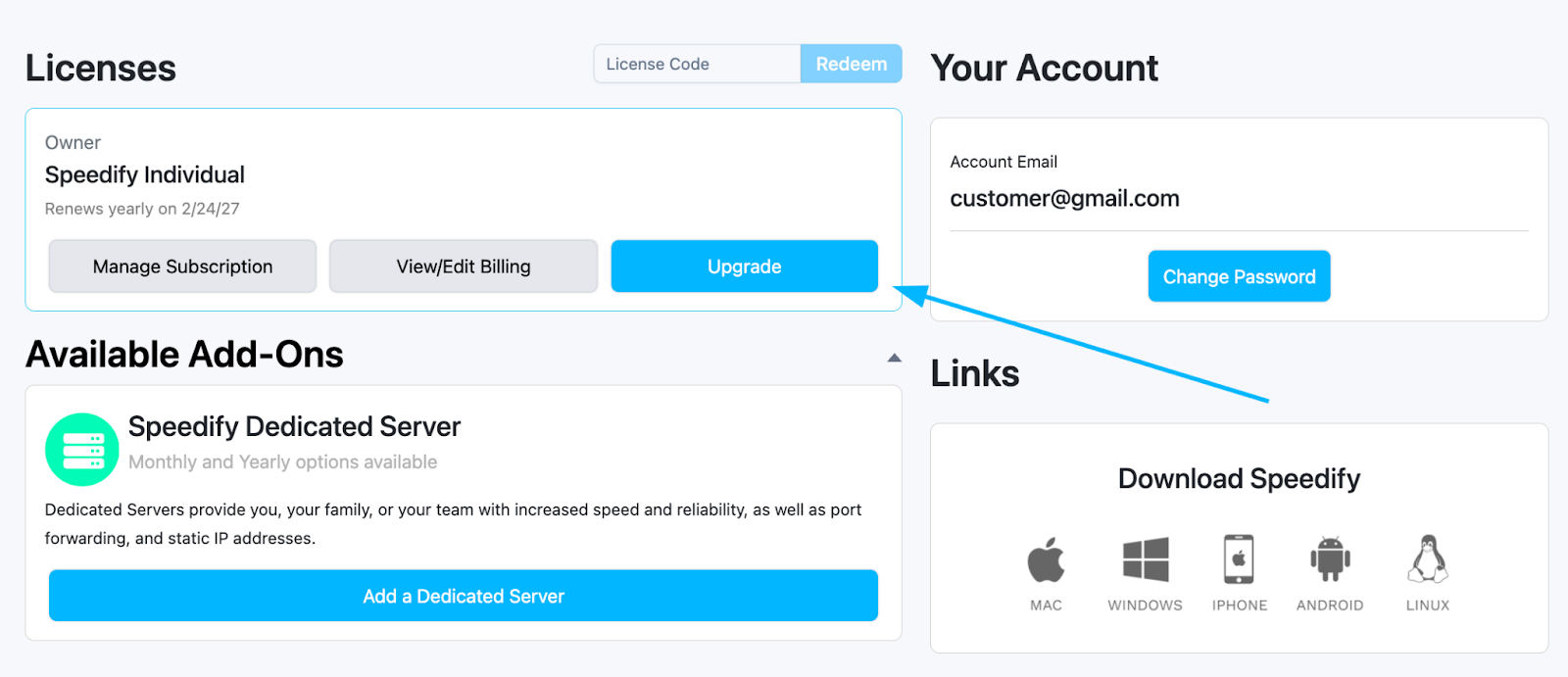
Step 3
Select Speedify for Families from the available plan options.
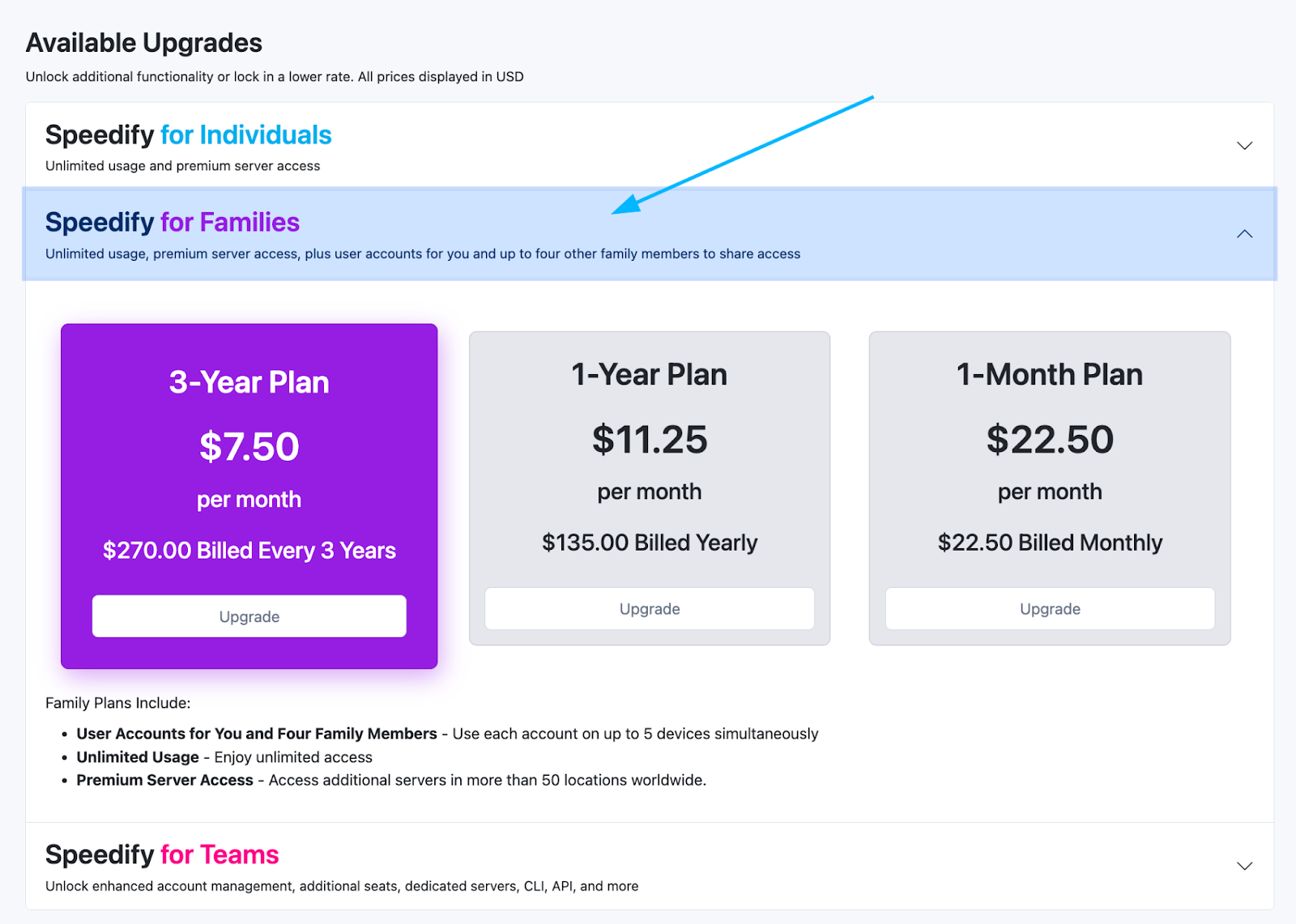
Step 4
Review the billing summary and confirm the upgrade.
Speedify will automatically adjust your billing. Any remaining time on your current yearly plan will be prorated toward the new subscription, or you'll be charged for the difference in price. The upgrade screen will show you the exact details for your account before you confirm.
What Happens After You Upgrade?
Once the upgrade is complete:
- Your account switches to a Speedify for Families account.
- You can invite family members to join your account.
- Each family member gets their own login credentials.
- Any devices already signed in remain active.
You can manage your family members and their access from the Speedify for Families dashboard.
Did you know - Speedify's Pair & Share feature lets you share your cellular connections with other Speedify users on the same local network. Learn more about Pair & Share.