
Can I combine coverage from 2 carriers using my Android phone’s mobile hotspot?
This article explains two ways you can use Speedify on your Android phone to combine 4G/5G cellular connections from two different carriers for faster upload and download speeds and more reliable internet.

Method 1: Combine Your Cellular Connection + a Wi-Fi Hotspot with Speedify
If you have a friend or a second device on a different carrier, you can connect to their mobile hotspot over Wi-Fi and let Speedify combine both internet connections at once.
Step 1
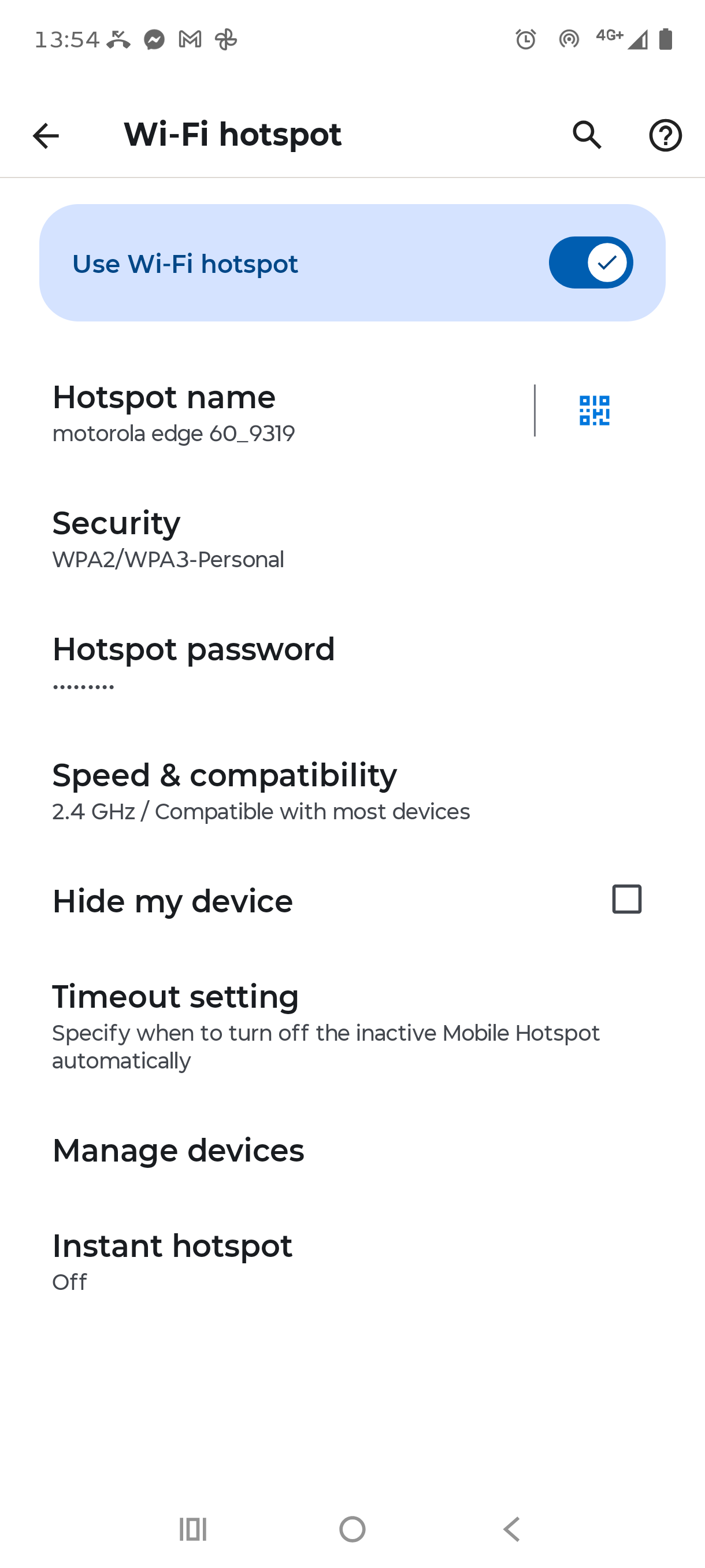
Set up a mobile hotspot on the second Android phone. On that phone, open Settings and navigate to Connections > Mobile Hotspot and Tethering > Mobile Hotspot. Set a hotspot name and password, then turn the hotspot on.
Step 2
On your Android phone, open Settings > Connections > Wi-Fi and connect to the other phone's hotspot. Your phone will now have both its own 4G/5G cellular connection and the Wi-Fi connection to the hotspot active at the same time.

Step 3
If you don't already have Speedify installed, download it from the Google Play Store. Open Speedify and you'll see both your 4G/5G cellular connection and the Wi-Fi hotspot connection appear on the dashboard. Tap the toggle to turn Speedify on.
Speedify will now use Channel Bonding to combine both internet connections, giving you faster speeds and a more reliable connection from both carriers at once.
Method 2: Use Speedify's Pair & Share
Speedify's Pair & Share is a cellular sharing feature that lets multiple Speedify users share their 4G/5G cellular connections with each other over a local network, no extra cables or adapters needed.
Once two devices are paired, each one can share and receive the other's connection at the same time. The more devices you pair with, the more internet connections you have available. All internet traffic between devices is fully encrypted, and you stay in control of which devices can share what.
Step 1
Connect both phones to the same local Wi-Fi network.
Step 2
On your Android phone, open Speedify and go to the Pair & Share menu.
Step 3
Under Discovered Devices, tap the device you want to pair with. Speedify will prompt you to send a pairing request to that device.
Step 4
Accept the pairing request on the other device. Once accepted, both phones can share their 4G/5G cellular connections with each other.
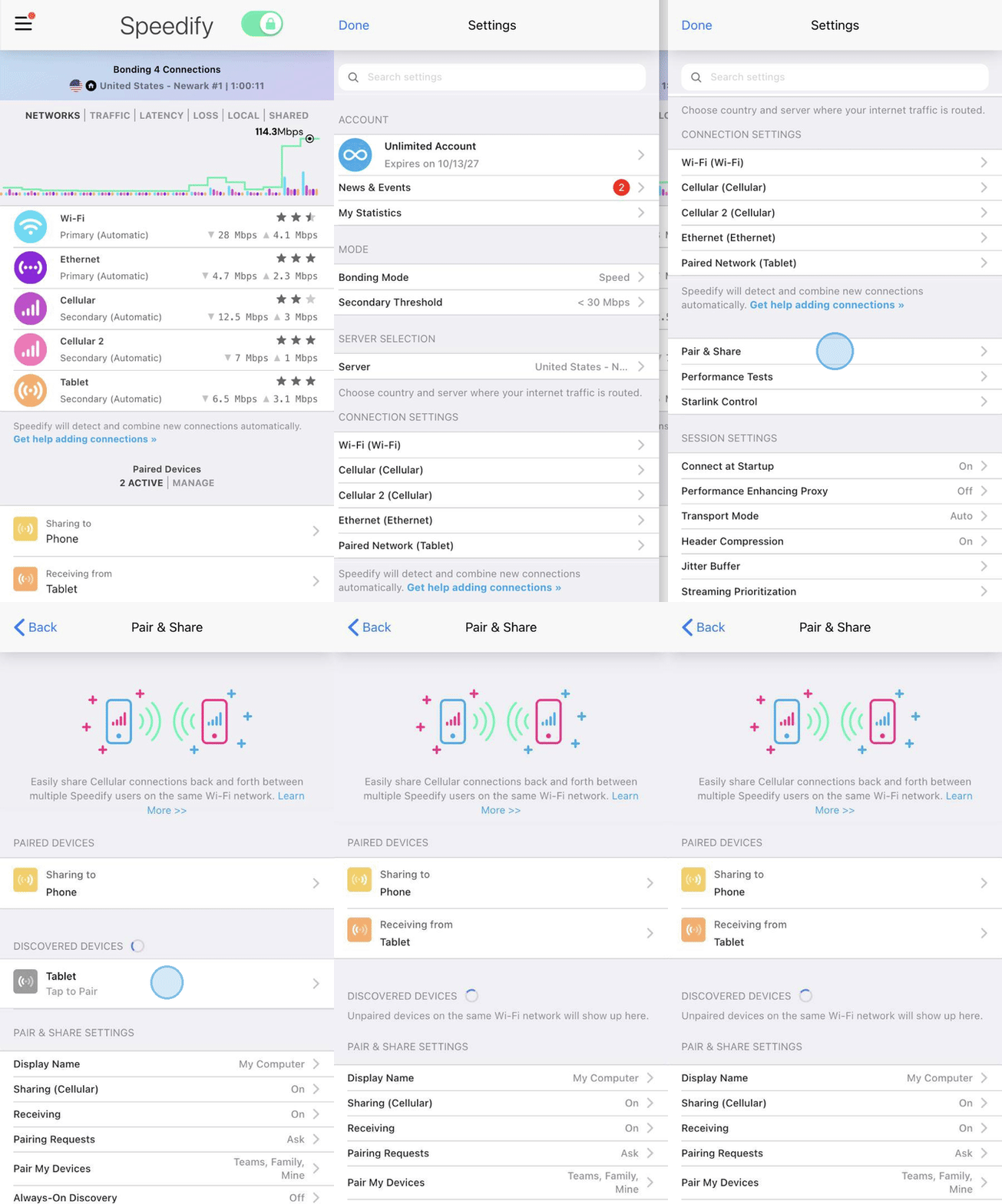
Your phones can now combine their cellular connections through Pair & Share over the shared connection, for faster upload and download speeds and added stability on both devices.
Did you know - Speedify can combine more than just 2 internet connections at once? You can add Wi-Fi, 4G/5G cellular, and even wired connections all at the same time. Learn how to combine multiple internet connections with Speedify.