
Can I Stream Netflix, Hulu, and Other Services with Speedify?
This article explains how Speedify works with popular streaming services like Netflix, Hulu, Disney+, and others, and how to set up Bypass so you can watch your favorite shows without disconnecting from the VPN.
What You Should Know
Speedify lets you stay connected to a VPN while still accessing streaming services like Netflix, Disney+, HBO, Hulu, Peacock, Amazon Prime, YouTube TV, and Ring. Many streaming services block access to when you use a VPN, but Speedify handles this differently by routing streaming internet traffic around the VPN.
Keep in mind that Speedify does not unblock geo-restricted content. You'll only be able to access the streaming content available in your region, not the libraries of other countries.
How Bypass Works
When you enable Bypass for a particular service, your device connects directly to that service, routing its internet traffic around the VPN. The rest of your online activity stays encrypted and protected through Speedify.
How to Enable Bypass
Step 1
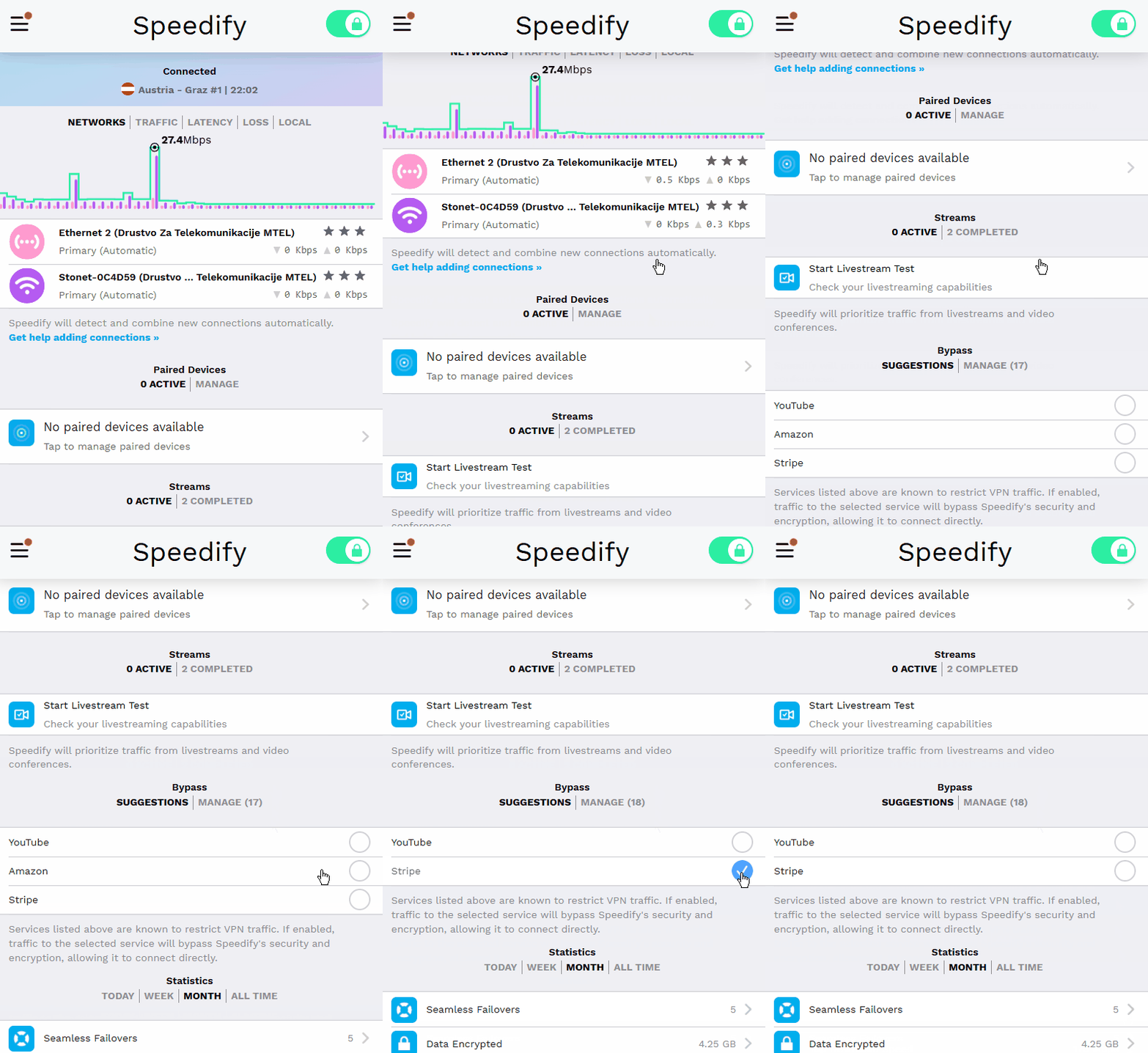
When Speedify detects a request to connect to a streaming service or another service known to block VPNs, a prompt will appear on the Speedify dashboard. Tap the circle next to the service you want to bypass.
Step 2
If you confirm, internet traffic to and from that service will start bypassing the VPN. Everything else continues to route through Speedify normally.
Step 3
You can also enable or disable Bypass for any service at any time. Go to Settings > Bypass in the Speedify app to manage your preferences.
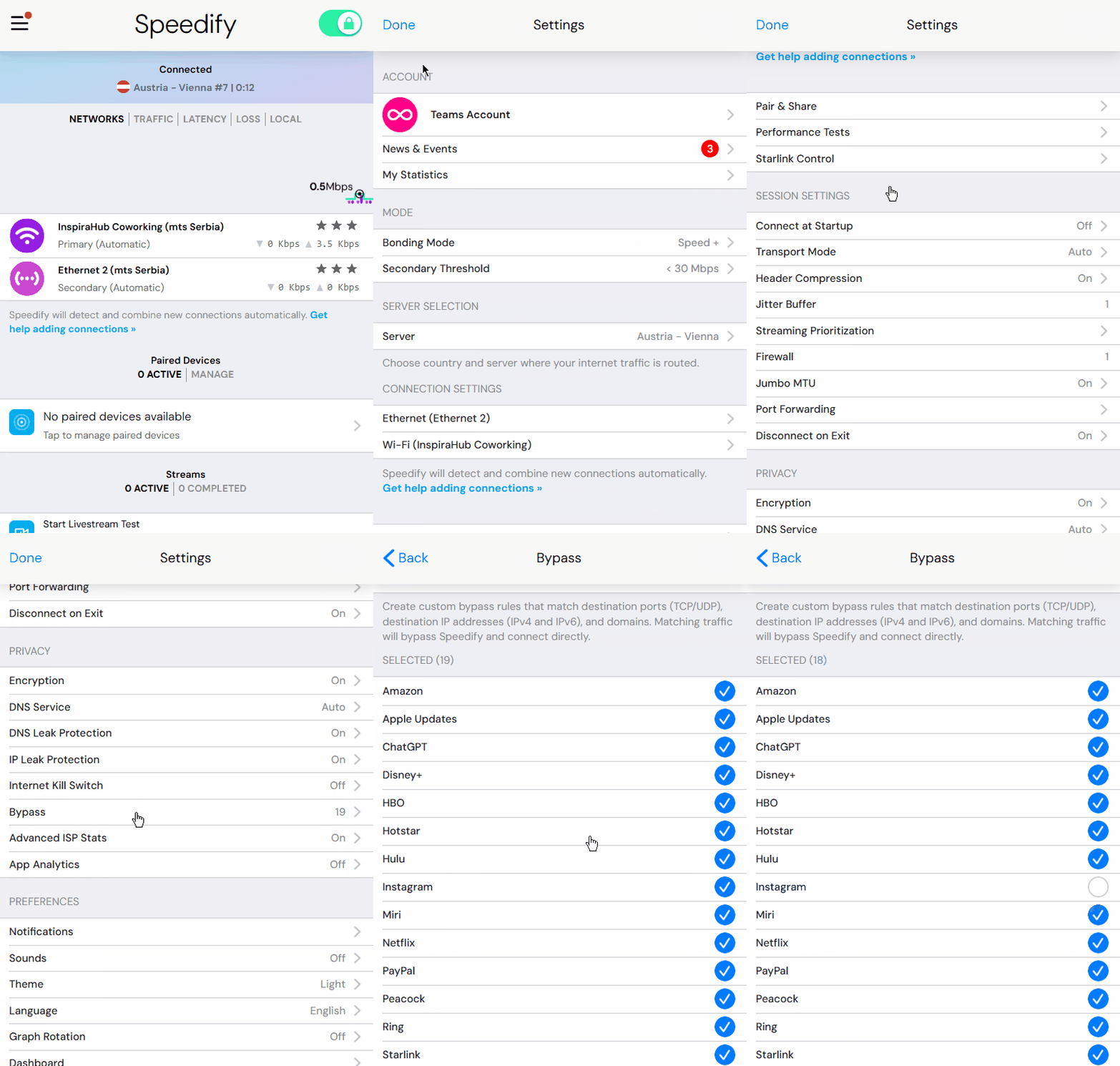
Did you know - You can send traffic from specific websites around Speedify. For any service not on the default Bypass list, see Custom Bypass for instructions on adding it manually.